


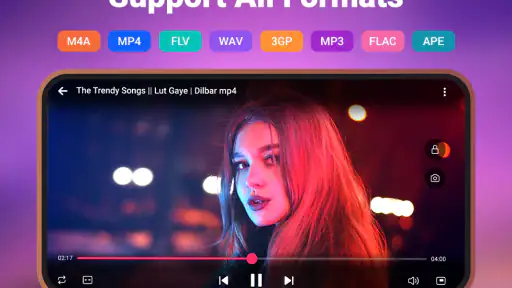
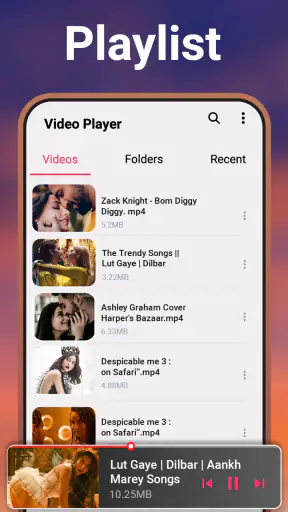
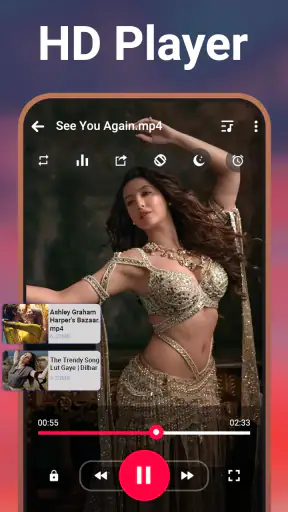
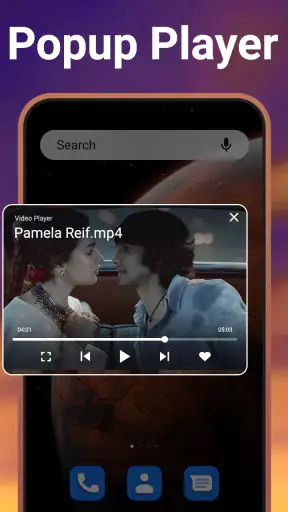
When I review a video player, I do not only ask whether it opens a file quickly. I want to know whether it helps me move from the first rough clip to a comfortable viewing, checking, or handoff routine without getting in the way. Video Player - Media Player, developed by 1MB Apps Studio, is aimed at that practical space. It is a free Android app in the video players and editors category, with a 4.2 average from around fourteen thousand ratings and more than five million installs.
I found its appeal less in flashy presentation and more in the combination of tools it puts around playback. Speed controls, an equalizer, file management, and a private vault make it more useful than a bare player when I am handling clips for work, study, travel, or a small creative project. It is not an editing suite, so I would not install it expecting trimming, transitions, captions, or a publishing pipeline. Instead, I see it as a flexible place to inspect, organize, and privately watch video before deciding what happens next.
From a rough clip to a useful starting point
The first thing I value in this app is that it works well as a starting point for creative material. Before I edit or share a video, I often need to check whether the footage is usable: Is the dialogue understandable? Does the timing feel right? Is the file the correct one? A player with speed adjustment and sound controls can make that initial review much less tedious than repeatedly scrubbing through a clip in a basic gallery app.
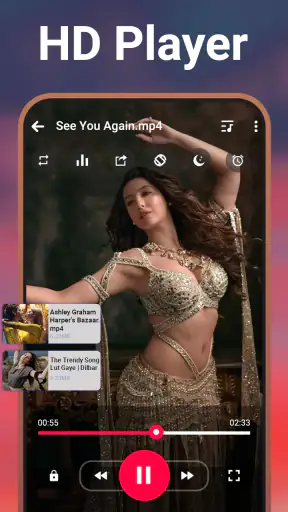
The speed control is especially practical for reviewing long recordings. I can move through a lecture, rehearsal, interview, or screen capture faster when I am searching for a particular moment, then return to normal speed when I need to judge rhythm or speech. For language practice or detailed demonstrations, slowing playback is more useful than simply jumping forward because it lets me examine pronunciation, hand movements, or on-screen steps without changing the original file.
That makes the app a good companion for creators who already use another tool to edit. I can use it to inspect source material before importing anything into a proper editor. This separation is helpful: the player handles viewing and checking, while the editor handles actual changes. Trying to force a playback app to replace a full editing workstation usually leads to frustration, and this is not the right tool for that job.
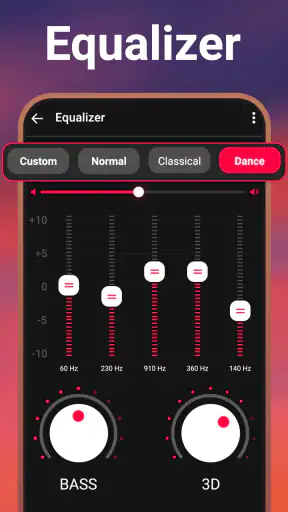
The equalizer adds another useful layer at this stage. I do not treat it as a replacement for professional audio monitoring, but it can help me judge whether a clip is intelligible on the device where I plan to watch it. A voice recording that sounds fine through headphones may feel muddy through a phone speaker. Adjusting playback can help me identify that problem early, although any listening adjustment should be treated as a preview rather than a permanent correction to the video.
One detail I appreciate is the distinction between changing how I hear a file and changing the file itself. Playback adjustments are useful for analysis, but they do not automatically turn a weak recording into a polished production. I would still return to an editor if the final video needs cleaner dialogue, balanced music, or a permanent audio mix. Used with that expectation, the equalizer is a practical inspection tool rather than an exaggerated promise.
Useful for everyday review, not just entertainment
A realistic example is a small business owner recording a product demonstration. After filming, they may have several similar clips and need to decide which one shows the product clearly. With the file manager, they can locate the recordings, use speed control to scan through them, and listen with a more suitable sound profile before sending the selected material to an editor or colleague. That saves time without pretending the app has created the final advertisement.
I also found the same workflow suitable for students. A recorded lesson can be reviewed at a faster pace when the subject is familiar, then slowed down for a difficult explanation. If the recording is stored among many unrelated files, the built-in management side is more convenient than relying entirely on a general file browser. The app becomes a study viewer as well as an entertainment player.
For casual viewing, the experience is straightforward. I can choose a local video, adjust the pace, and focus on the content rather than navigating a complicated production interface. That simplicity matters when I want to check a clip quickly on a phone. The app’s Everyone content rating also makes it broadly approachable for households, although parents should still judge the actual files being opened rather than treating an age label as a substitute for supervision.
Managing the making process without turning it into editing software
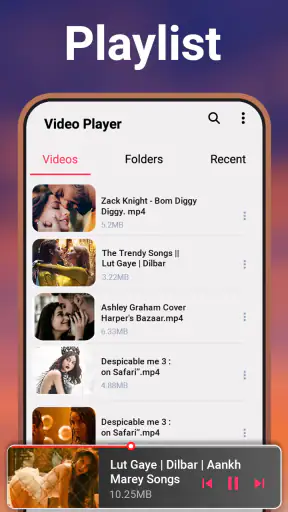
Once I have gathered footage, the file manager becomes more important. Creative work often becomes messy before it becomes polished. Clips arrive from different sources, filenames are not always helpful, and a single folder can contain drafts, reference videos, exports, and personal recordings. A player that includes file browsing can reduce the number of separate apps I need during this preparation stage.
I would use it to locate a clip, play it immediately, and decide whether it belongs in the working set. That is a small workflow improvement, but it prevents the common problem of opening a file manager, then a separate player, then another app to check audio. The fewer handoffs there are during review, the easier it is to maintain concentration.
There is also a useful trade-off here. A dedicated file manager can offer deeper sorting, tagging, cloud connections, or advanced batch operations, depending on the platform and tool. I would not assume this app replaces those specialized options. Its strength is the close connection between locating a local video and watching it. If my project contains hundreds of assets with complex naming rules, I would still want a more advanced asset-management system alongside it.
The private vault changes the role of the app further. I can see a reason to keep personal recordings, unfinished creative material, or sensitive reference clips away from the ordinary viewing area. That is helpful when another person borrows my phone and I do not want every video visible in the normal list. It also creates a cleaner separation between material intended for sharing and material that is still private.
I would be careful not to confuse a private vault with a complete backup strategy. Before placing anything important there, I would keep a separate copy in a trusted location. A vault can improve everyday privacy, but it should not be the only place where irreplaceable footage exists. This is one of the most important practical habits for anyone using the app for creative work: privacy and backup solve different problems.
Three workflow details that make a difference
- Review at more than one speed. I use faster playback to find the useful section, then normal or slower playback to judge delivery, timing, and continuity. This is quicker than watching every long recording from beginning to end at one pace.
- Check audio on the intended device. The equalizer can help me inspect clarity, but I compare the result through the speakers or headphones my audience is likely to use. A setting that helps headphones may not suit a phone speaker.
- Separate private drafts from handoff material. The private vault is useful for unfinished or personal clips, while ordinary file browsing is better for material I am ready to show. Keeping those roles separate reduces accidental sharing.
These habits do not turn the app into a video editor, but they make it more valuable before and after editing. I can review a rough cut exported from another application, compare it with the source, and keep personal material out of sight while preparing a version for delivery. That is a realistic role for this app in a creator’s toolkit.
Iteration: checking versions without losing the thread
Iteration is where a simple player can become surprisingly useful. When I make a video, I rarely get the pacing, sound, and sequence right on the first attempt. I export a draft, watch it, notice a weak section, return to the editor, and repeat. A reliable viewer helps me evaluate those versions without adding another layer of complexity.
Speed controls are valuable during this loop because they let me inspect structure quickly. I can watch an opening at normal speed to judge whether it holds attention, then move faster through a familiar middle section. For a tutorial, I might slow down the explanation to check whether each step is visible long enough. This is not a substitute for detailed frame-by-frame editing, but it is an efficient first pass.
The equalizer is also useful for identifying whether a change improved the listening experience. I can compare two versions under similar playback conditions rather than relying on memory. The important limitation is that playback settings can influence my impression, so I would keep the setup consistent when comparing drafts. Otherwise, I might mistake a different listening profile for a better mix.
The file management side can support version checking, but I would still name files carefully. A player cannot solve confusing filenames by itself. I recommend using simple labels such as project name, scene, and draft status, then opening each version in the app to verify the result. This is a modest workflow tip, but it prevents the costly mistake of sending an older export to a client or collaborator.
For creators working entirely on a phone, the app is most useful as a review station between editing sessions. I can edit elsewhere, return here for a clean viewing pass, and decide whether the next revision is worth making. The separation helps me judge the video as a viewer rather than as the person who just spent time adjusting it.
Where the app stops being the right choice
The boundary is clear: this is not where I would perform a complete production. If I need to cut scenes, add titles, remove background noise, create a vertical crop, apply transitions, or export a new format, I need a dedicated editor. The category includes video players and editors, but this particular app’s practical identity is playback and media handling rather than timeline-based creation.
I would also choose another solution if my work depends on collaborative review, comments tied to exact timestamps, cloud project libraries, or automated publishing. Those workflows require specialized services. Video Player - Media Player can help me inspect a file before handoff, but it does not replace a shared production environment.
On the other hand, people who mainly need a clean local viewer may prefer this app over a full editor. A large editing application can feel excessive when the task is simply checking a downloaded lesson, reviewing a phone recording, or watching a draft privately. The lighter approach is its advantage when I want immediate playback tools without opening a production workspace.
Export, handoff, and the final check
The handoff stage is where I use the app as a final checkpoint rather than a publishing tool. After I export a video from an editor, I can open it here and confirm that the file plays properly, the sound is understandable, and the pacing survived the export. This is particularly useful before sending a file to someone else because problems are easier to fix locally than after delivery.
I would check the beginning, a representative middle section, and the ending instead of assuming a successful export is automatically a good export. If the video contains speech, I listen for sudden volume changes. If it contains demonstrations or text, I slow down sections where readability matters. The app’s controls make that inspection less passive than simply pressing play and hoping everything looks fine.
For a handoff, I would still use the sharing or delivery method required by the project, whether that means a separate messaging service, storage tool, or publishing platform. The app’s role is to help me verify the local file before it leaves my device. That distinction keeps expectations realistic and avoids treating a media player as a distribution system.
The private vault can be useful during this stage when I have several versions that should not be shown yet. I can keep confidential drafts separate while preparing the approved file for delivery. Still, I would make sure the recipient receives an ordinary accessible copy, not a file that is hidden behind a private viewing area on my own phone. The vault is for personal control, not a replacement for an agreed handoff process.
Compatibility is another reason I would test the actual exported file rather than relying only on the editor’s preview. A video may look fine inside the editing application but behave differently when opened elsewhere. Playing it in a separate viewer gives me a more independent check. If the file fails to play as expected, I would investigate the export settings or use a more specialized player, rather than assuming the problem is solved by changing playback controls.
The app is free to install, which makes it easy to try as a secondary viewer. It includes in-app purchases priced from $1.49 to $11.99 per item, so I would pay attention to any optional upgrade screen and decide whether the extra value fits my routine. For someone who only needs occasional playback, the free starting point may be enough. A frequent user should judge the app by how much time its management and privacy tools save, not by the presence of an optional purchase alone.
It runs on Android devices using version 6.0 or later, and the current version is 5.5. That makes it accessible to people who are not using the newest phone, provided their device meets that operating-system requirement. I would still consider the age and storage situation of a particular phone when working with large video files, because playback comfort depends on the device as well as the app.
My creator verdict after using it as a working tool
My overall impression is that Video Player - Media Player is strongest when I treat it as the viewing and checking layer of a creative workflow. It helps me begin with rough material, review drafts, inspect audio, keep files organized, and protect private clips. Those tasks are easy to overlook, yet they take real time in everyday production. The app brings them together without asking me to open a full editor for every small decision.
I especially recommend it to people who record on a phone, review lessons or interviews, manage personal video collections, or export drafts from another editing app. The speed control is more than a convenience for long recordings, the equalizer helps with practical listening checks, and the file manager reduces friction between finding a clip and judging it. The private vault is a useful extra for separating sensitive or unfinished material from ordinary viewing.
I would skip it if my main goal is to make videos inside one application from start to finish. Editors with timelines, effects, captions, cropping, audio repair, and direct publishing will be a better fit. I would also look elsewhere for advanced media libraries, team feedback, or cloud-centered delivery. This app is not weak because it lacks those systems; it is simply focused on a different part of the process.
With more than five million installs and a 4.2 average, it has clearly found an audience among Android users looking for more than basic playback. I can understand why: the feature mix is practical, and the free entry point lowers the risk of trying it. My advice is to install it when your problem is reviewing and managing video, not when your problem is editing it.
My final recommendation is simple: use it as a dependable pre-edit and post-export checkpoint. It gives me a faster way to inspect footage, compare drafts, listen for problems, and keep private material separate. For that role, it is more capable than a standard gallery player while remaining less demanding than a full creative suite. That focused usefulness is what makes it worth keeping around.


